 Thimvo
Voice notes for iPhone and Apple Watch
Catch a
thought.
Record voice notes on Apple Watch or iPhone. Get automatic transcription on your iPhone, then read, replay or share your recordings.
Free · No in-app purchases
iPhone + Apple Watch
One tap. A place for your thought.
Speak before
it slips away.
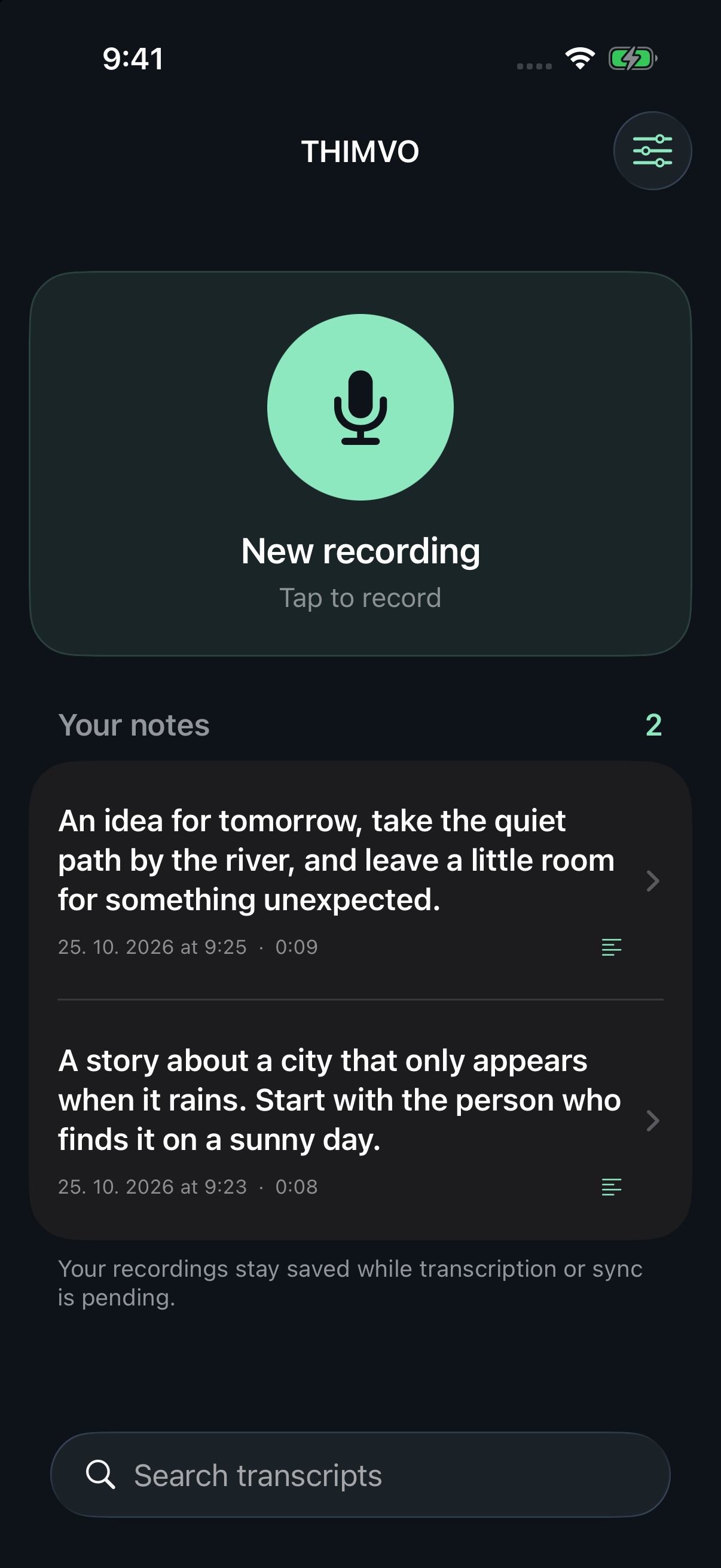
Tap the large microphone on your iPhone or Apple Watch. On Watch, a complication or Smart Stack widget can start recording straight away. Tap Stop when you’re done.
Your voice.
Your language.
Your iPhone detects the spoken language and turns the recording into text. On Watch, open a recording and scroll below playback to read it. If detection needs help, tap the globe in the iPhone detail, choose a language and transcribe again.
Keep the audio.
Find the idea.
Search from the bottom of your iPhone library. Open a note to replay it or share its audio or transcript from one icon. Your recordings stay saved while a transfer or transcript is waiting.
From a passing thought to a useful note
Voice notes.
Ready to read.
A thought doesn’t need a title, a folder, or a perfect first sentence.
Record on your watch even when your phone isn’t nearby. Thimvo transfers the audio when the paired iPhone is available, then sends the transcript back to your wrist.
- Automatic language detection
- Speech processing on your iPhone
- Private backup in your own iCloud
- Original audio saved with every note
Screens show illustrative example notes.
Everything for one recording
Listen, read,
or share.
Your audio and transcript, together in one simple detail.
- One share icon: choose Audio or Transcript
- A globe to correct the detected language
- A trash icon to delete with confirmation
Settings keeps the essentials together: transcription, iCloud, help, privacy and licenses. Sync status is there when you need it.
See how it works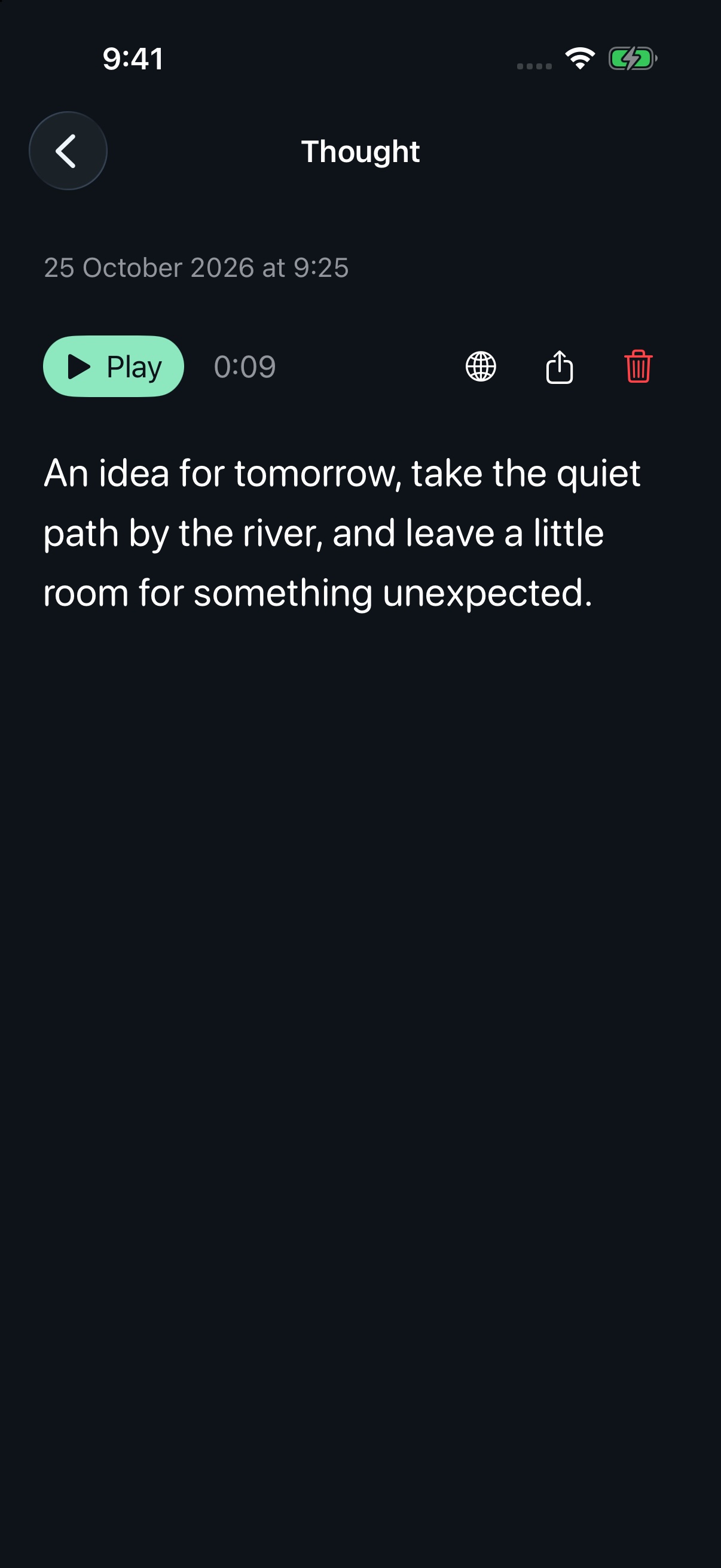
A personal notebook should stay personal
Your thoughts belong to you.
There’s no Thimvo account, advertising, or tracking. Audio isn’t sent to a transcription provider. Your iCloud backup lives in your own private database.
Read the privacy policyA few things to know.
Thimvo needs iOS 26 or later. The optional watch app needs watchOS 26 or later. Transcription happens on iPhone.
First use downloads about 220 MB of speech models, plus any Apple language assets needed. Keep the iPhone app open during setup. Prepared languages can then work offline.
Automatic detection supports 99 languages. You can correct the detected language and transcribe a recording again on iPhone. Accuracy varies; very short, noisy, or mixed-language clips can need correction.
Setup, languages & troubleshooting